Planning visits
Planning a future visit
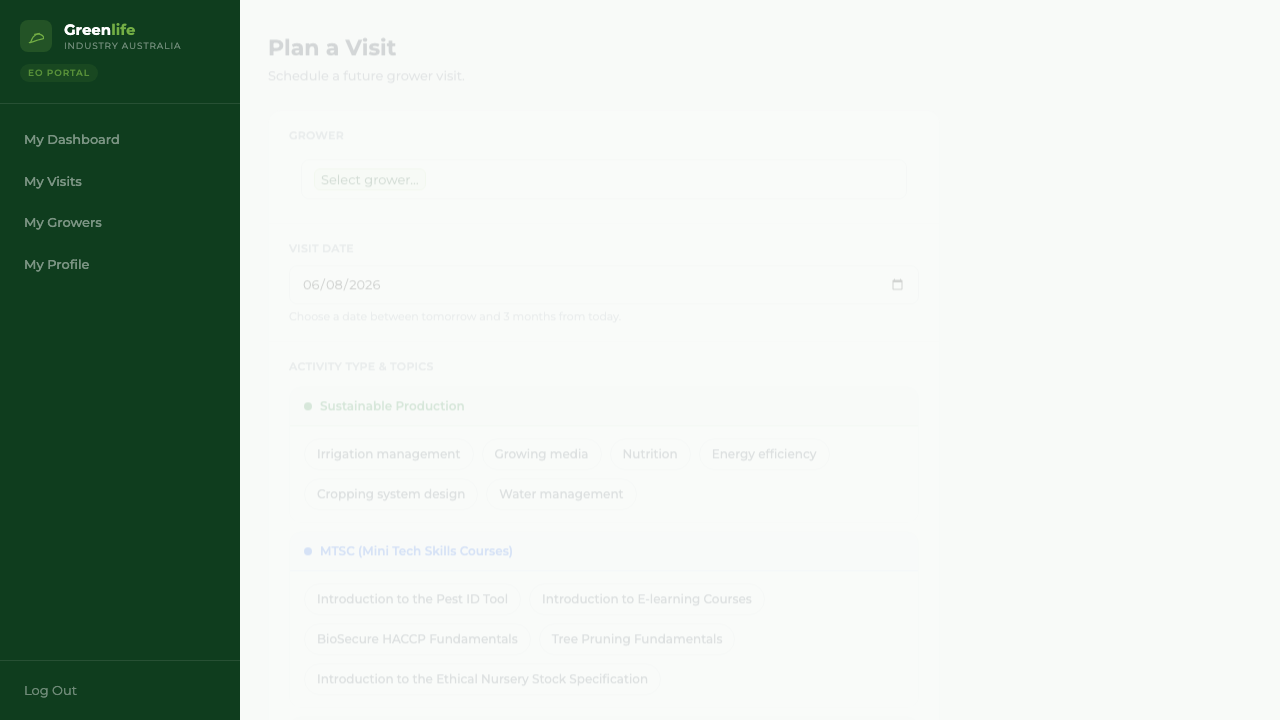
Schedule a visit for a date up to three months ahead, with the topics you intend to cover.
Where to find it
Menu My Visits Plan Visit
Before you start
Know which growers are overdue — the Needs a Visit Soon panel on your dashboard tells you.
Steps
- 1 Select My Visits in the menu, then Plan Visit. You can also select any future empty day on your calendar, which opens this form with that date already filled in.
- 2 Choose the business in Grower. Start typing to narrow the list.
- 3 Choose the Visit Date. It has to be between tomorrow and three months from today.
- 4 Optionally select the topics you expect to cover, and write what the visit is for in Notes.
- 5 Select Save Planned Visit.
What you'll see
A confirmation reads "Visit planned successfully!" with the grower and the date, and offers Plan Another Visit — so you can block out a run of visits across a region in one sitting. Each one appears under the Upcoming tab of My Visits and on your calendar.
Good to know
Today cannot be planned — a visit happening today should be logged, not planned. Nothing can be scheduled in the past or more than three months out. Topics on a plan are optional, and whatever you choose carries over as a starting point when you complete it.