Getting started
Signing in for the first time
Use the details your administrator gave you, and set your own password once you are in.
Where to find it
The web address your team gives you
Before you start
The email address and first password your administrator issued you.
Steps
- 1 Open the web address your team gave you.
- 2 Type your work email into Email address and the password you were given into Password. The eye icon shows what you have typed, which helps on a phone.
- 3 Select Log In.
- 4 Change the password to something only you know — see Changing your password.
- 5 To sign out on a computer, use Log Out at the bottom of the sidebar.
What you'll see
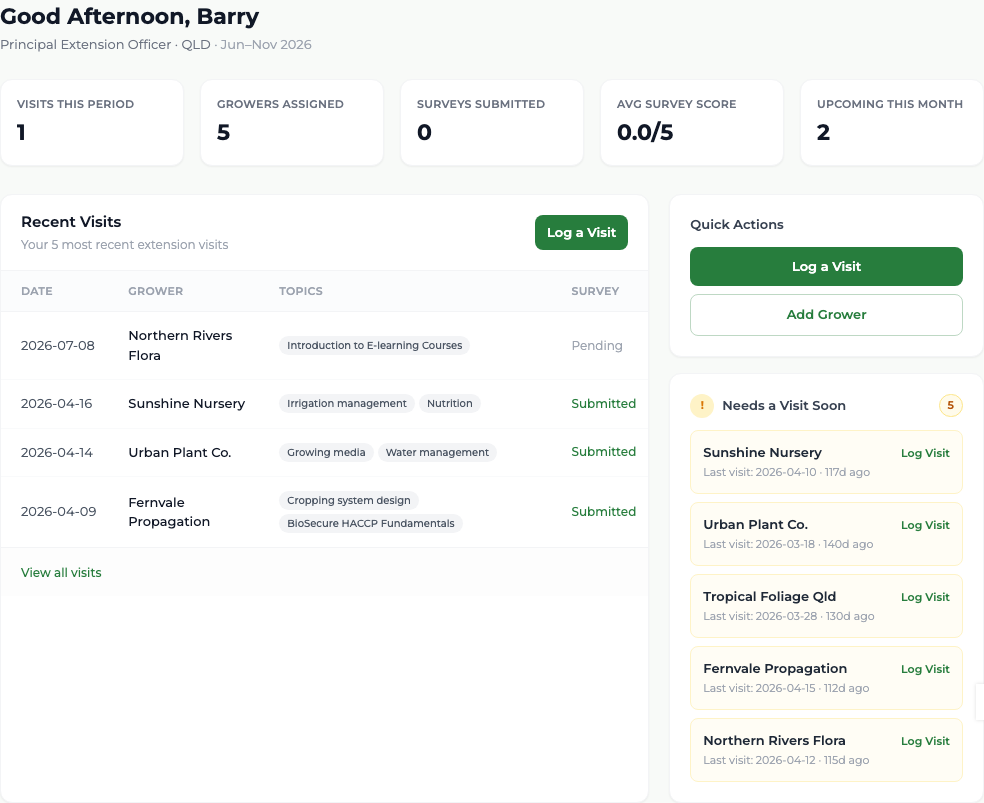
You land on your own dashboard, greeted by name, with the growers you are responsible for already assigned and the current reporting period named beneath the greeting. You should not be looking at an empty screen: if you are, your growers have not been assigned yet — ask your administrator.
- "Incorrect email or password." — check the address and try again.
- After five wrong attempts the account locks for a while. Wait, or ask your administrator.
- "This account is not active." — your administrator needs to activate it.
Good to know
You are not forced to change the first password, and there is no password reset by email yet — if you are locked out, your administrator sets a new one for you. The "Log In with Google" button is switched off.