Logging visits
Recording how many people attended
Enter an attendee count for each course or workshop you delivered.
Where to find it
Log a Visit Activity Type & Topics
Steps
- 1 Select the Mini Tech Skills course or the workshop you delivered.
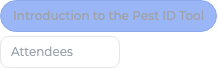
- 2 A small box appears beside it, marked Attendees.
- 3 Type how many people attended that delivery — a whole number from 1 to 2000.
- 4 Repeat for each course or workshop. If you delivered two courses to six people each, that is 6 in both boxes, not 12 in one.
What you'll see
Each delivery carries its own headcount, which is exactly what the report needs: two courses with six attendees each is reported as two courses and twelve attendees, on their own rows.
Good to know
Only Mini Tech Skills courses and workshops ask for a count, because they are the only activities reported by attendance. Unselecting an activity clears its count. Leaving a count blank records no number rather than zero.
Related topics