In the field
Working on a phone in the field
How the portal behaves on a phone, and how to avoid losing work in a shadehouse.
Where to find it
Any screen, phone browser
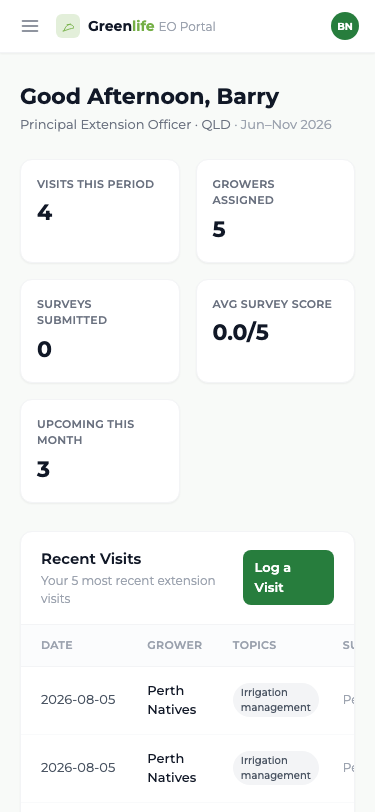
The officer portal is designed to be used on a phone browser between drives, standing in a nursery. The menu becomes a bar across the top with a slide-in drawer, and the wider tables drop their less important columns to stay readable.
- Log each visit before you drive away. The date is always today, so it cannot be caught up later without recording the wrong day.
- Turn the phone around for the survey — it is built to be handed over.
- If a nursery is not in the platform, add it on the spot and log the visit in the same sitting.
- Add the site to your home screen if your phone offers it, so it opens like an app.
What you'll see
A full day of visits can be logged from a phone between drives, with the survey handed over at each nursery — nothing has to wait until you are back at a desk.
Important
The officer web portal in a phone browser has no offline drafts — if you lose signal part-way through a visit form or a survey here, the work on screen is not saved until you select Save Visit or Submit Survey. For field work without reliable signal, use the GIA Field app: it keeps visits in a Pending Upload / outbox and syncs when you are back online. In a shed with no reception and no field app to hand, note the details on paper and enter them when you have a bar of signal.
Good to know
Nothing is kept as a draft, so avoid leaving a half-finished form to take a call. Sign out on a phone by adding /logout to the site address — the phone menu has no Log Out link.