Getting started
What you use the officer portal for
An overview of the officer portal and how your visit records become the program's figures.
Where to find it
Applies everywhere
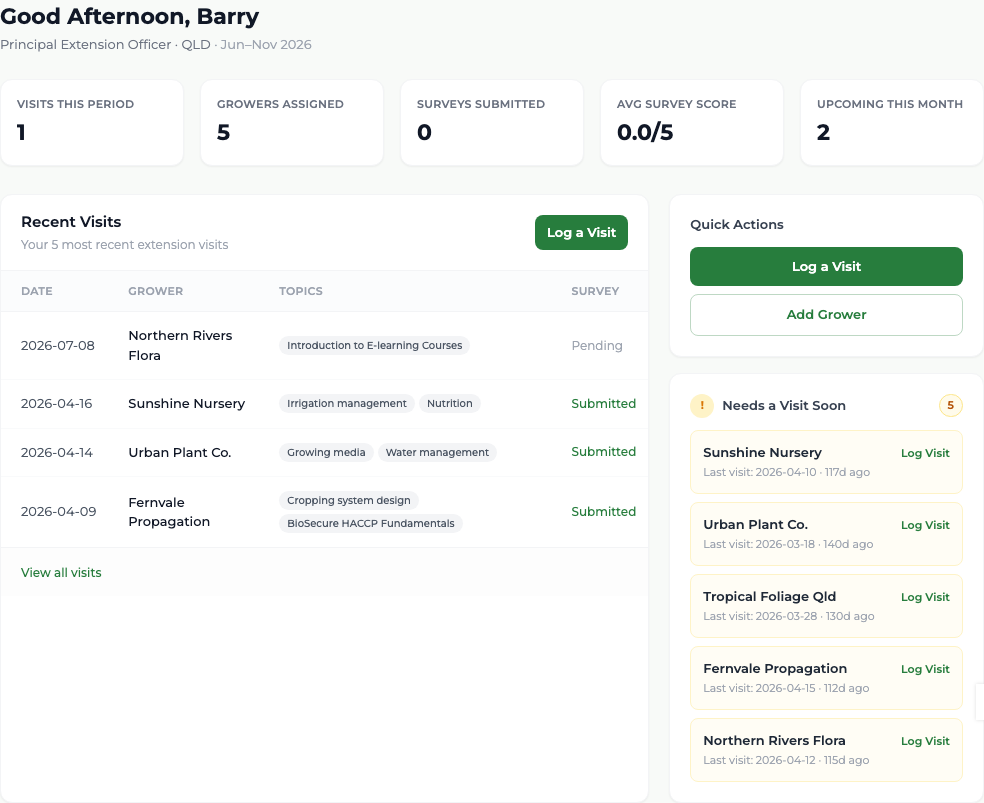
The officer portal is where you record what you do in the field. There are four things it is for:
- Logging visits
- Recording a visit you have just made, with the activities you delivered and how many people attended.
- The grower survey
- Handing your phone to the grower at the end of a visit for eight short questions.
- Planning
- Scheduling visits up to three months ahead and seeing them laid out on a calendar.
- Your growers
- The businesses you are responsible for, their history, and adding one you have just found.
Everything you log feeds the figures GIA reports to its funder. Your visit appears in the program's numbers the same day, without anyone re-entering it.
What you'll see
You see your own growers and your own visits — never another officer's. The one exception is a grower's history, which shows every visit ever made to that business, including your predecessor's.
Good to know
This officer portal is a website — there is nothing to install for it, and it works on a phone browser in a nursery as well as on a laptop. For field work without reliable signal, use the GIA Field app (local native install); it keeps visits in a Pending Upload outbox. The website itself has no offline drafts.