Growers
Adding a grower by hand
Register one nursery business, with both contacts, its state, its officer and its accreditations.
Where to find it
Sidebar Growers + Add Grower
Before you start
The business name and state at minimum. Contact details and accreditations can be added later.
Steps
- 1 Select Growers in the sidebar.
- 2 Select + Add Grower. A window opens headed "Add Grower".
- 3 Fill in the fields below.
- 4 Select Add Grower.
- Business name
- Required. Use the trading name you would recognise in a report.
- Primary contact
- Name, Email and Phone for the main person at the business.
- Secondary contact
- A second person, so the relationship does not depend on one phone being answered. Optional but recommended.
- Address
- The nursery address.
- State
- Required — one of the eight states and territories.
- Assigned EO
- The officer responsible. Leave as Unassigned if you do not know yet.
- Accreditations
- Select any that apply: NIASA, EcoHort, BioSecure HACCP, or In Progress.
What you'll see
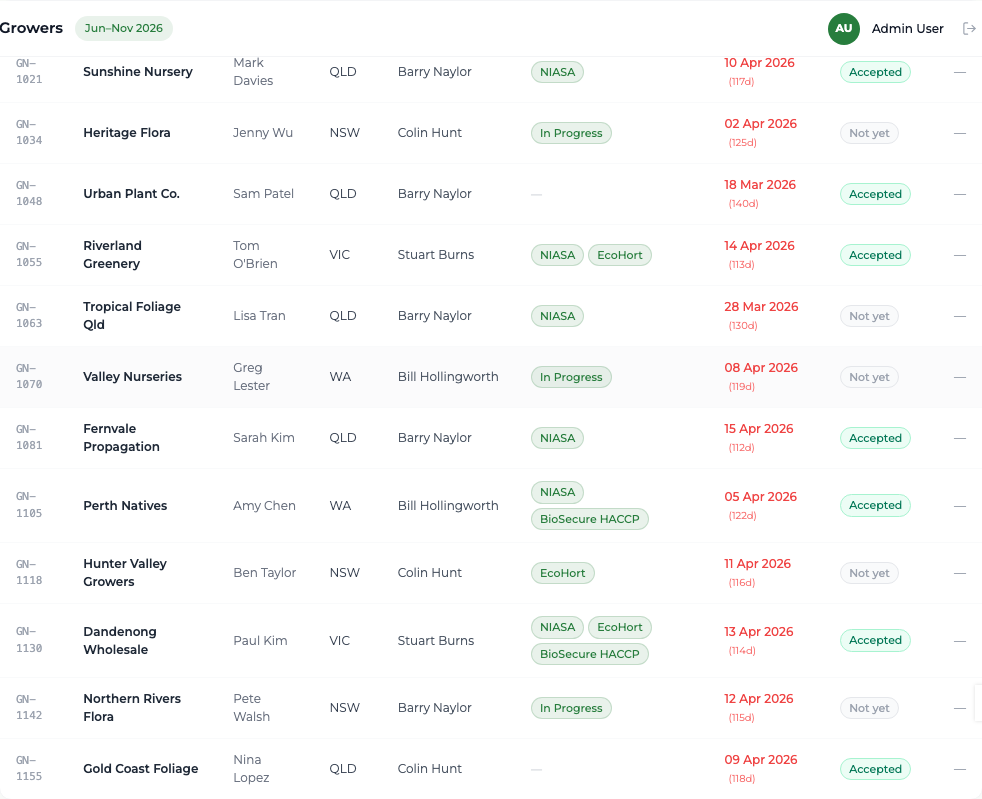
The grower appears in the list with an identifier the platform generates for you, in the form GN-1021. Consent to contact starts as "Not yet" — only a grower answering Yes to the last survey question changes that.
Good to know
You never type the GN-#### identifier; the platform allocates the next one. For more than a handful of businesses, use the bulk import instead of this form.