The dashboard
Viewing the figures for one officer
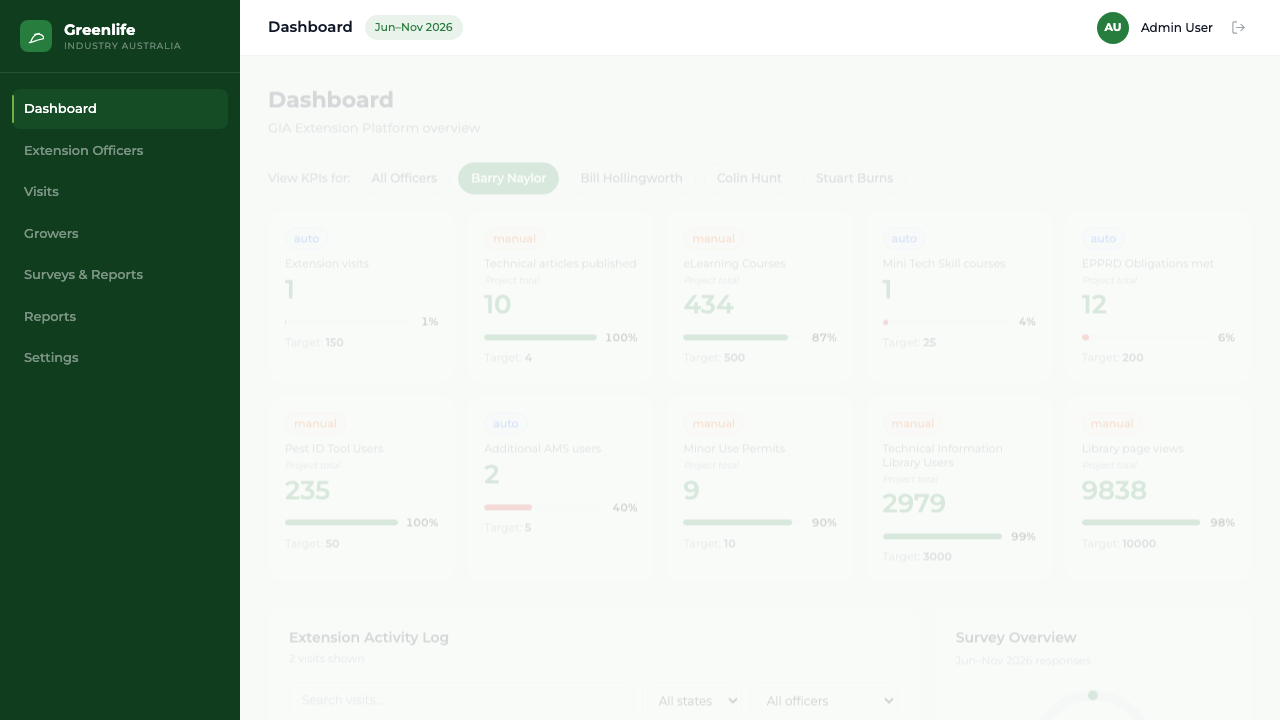
Filter the dashboard tiles to a single Extension Officer and see which numbers stay project-level.
Where to find it
Sidebar Dashboard View KPIs for
Steps
- 1 Open the Dashboard.
- 2 In the "View KPIs for:" row, select an officer's name. All Officers is selected by default.
- 3 Read the tiles. Those that can be attributed to a person now show that officer's own figure.
- 4 Select All Officers to return to the program view.
What you'll see
Tiles that can be broken down by officer show that officer's numbers. Tiles that cannot keep the program figure and are captioned "Project total", so per-officer and project-level numbers are never confused.
Good to know
To see the visits behind an officer's number, open Extension Officers and select their row — the detail panel lists their visits individually.