Assignments
Assigning or reassigning one grower
Give a business to an officer, move it to another, or leave it unassigned.
Where to find it
Sidebar Extension Officers officer row Reassign
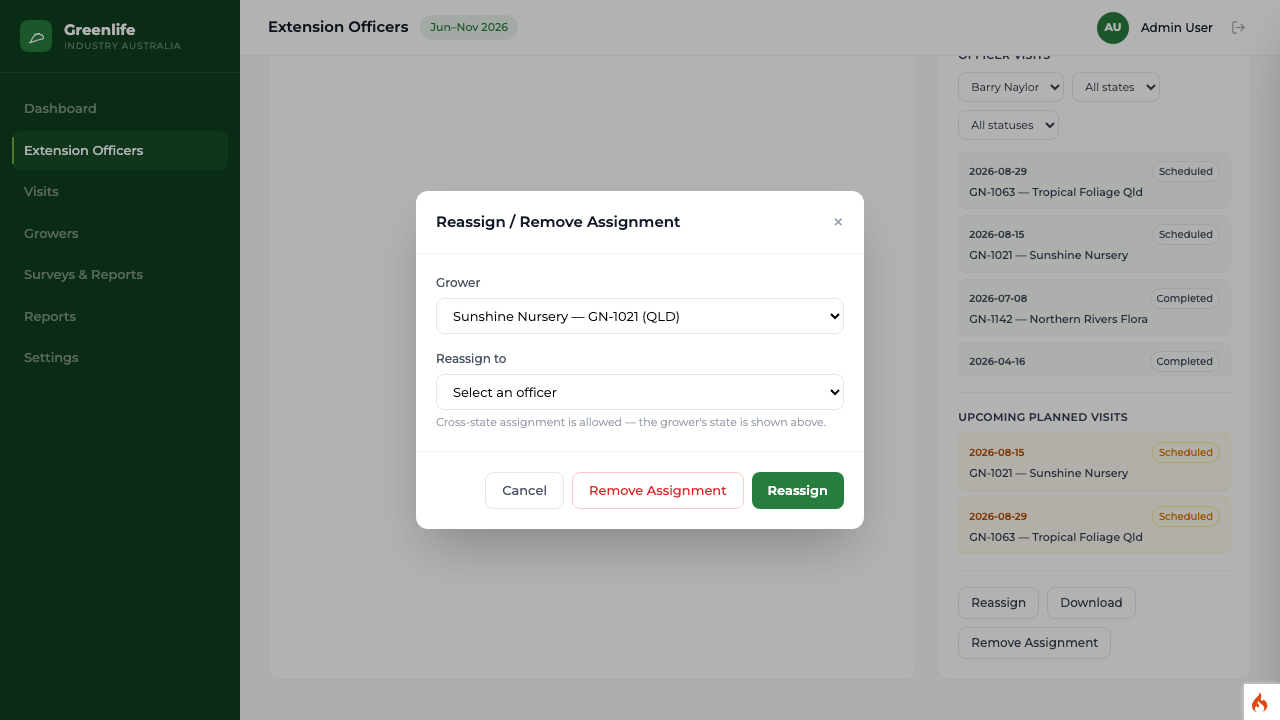
Steps
- 1 Select Extension Officers in the sidebar and select an officer's row.
- 2 In the detail panel, select Reassign.
- 3 Choose the business in Grower and the officer in Reassign to.
- 4 Select Reassign.
- 5 To take a business off an officer without giving it to anyone, use Remove Assignment instead.
What you'll see
The business moves to the receiving officer's list immediately and disappears from the previous officer's. The receiving officer can see the full visit history but is not credited with any of it.
Good to know
Cross-state assignment is allowed and the window says so — assignment is about who is nearest and available, not which state the officer is based in. You can also set the assigned officer directly on the grower record when editing it.