Reporting
Recording EPPRD committee obligations
Log CCEPP and NMG engagements for the period so the obligations figure counts them.
Where to find it
Sidebar Settings EPPRD Register
Before you start
The date, the committee and what the engagement was.
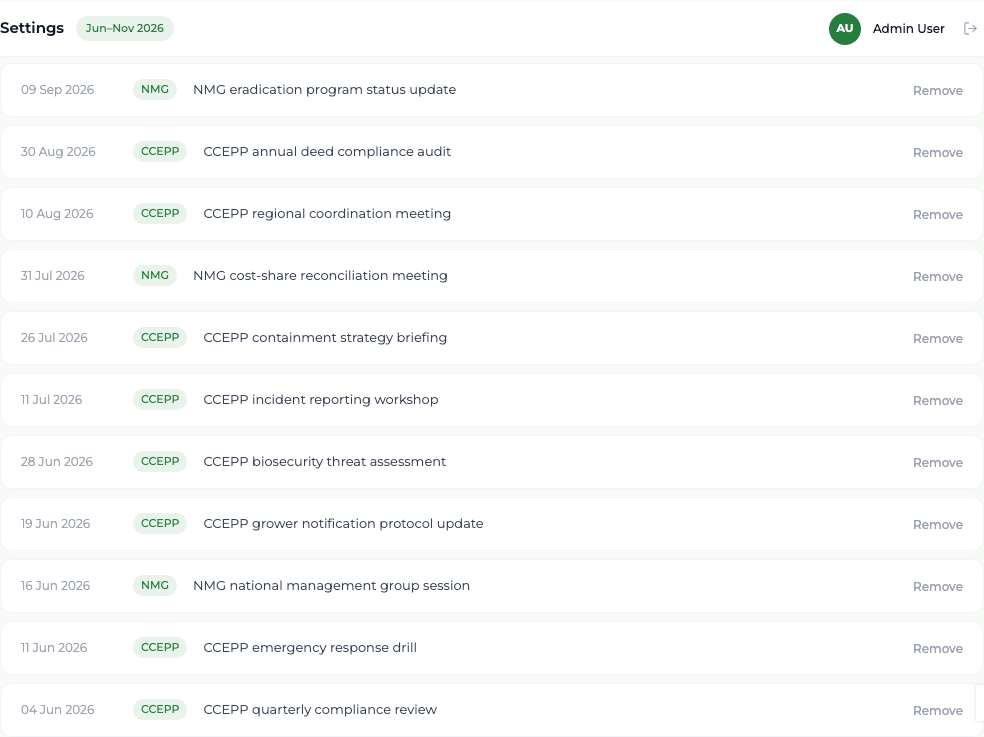
Steps
- 1 Select Settings in the sidebar, then the EPPRD Register tab.
- 2 Enter the Date, choose the Committee — CCEPP or NMG — and describe the Activity.
- 3 Select Add.
- 4 To take an entry out, select Remove on its row.
What you'll see
The entry appears in the register for the active period, and the EPPRD Obligations met figure on the Dashboard and the Reports screen counts it. The split between CCEPP and NMG appears in the derived aggregates.
Good to know
The register is scoped to the active reporting period, so switch to the right period before adding entries for it.