Surveys and consent
Adjusting how the gauges are calculated
Set the gauge targets and the weightings behind the Knowledge, Skills and Attitudes figures.
Where to find it
Sidebar Settings KASA Scoring
Before you start
Agree the change with whoever signs off the reported figures — it changes numbers already on screen.
Steps
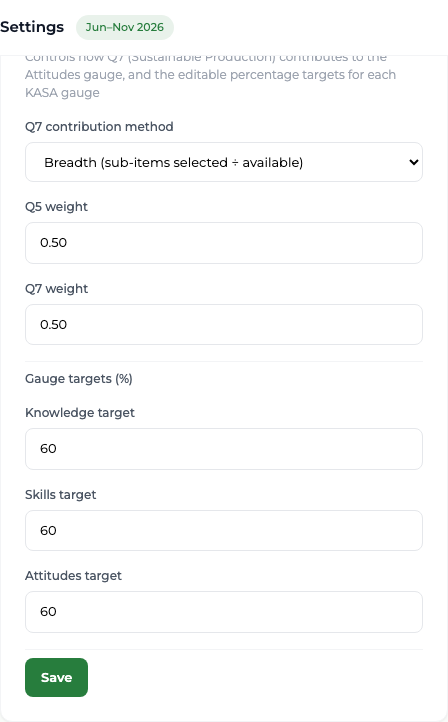
- 1 Select Settings in the sidebar, then the KASA Scoring tab.
- 2 Choose how Q7 contributes: Breadth counts how many topics were selected out of those available; Engagement counts the share of responses that selected at least one.
- 3 Set Q5 weight and Q7 weight, each between 0 and 1.
- 4 Under Gauge targets, set the target percentage for Knowledge, Skills and Attitudes.
- 5 Select Save.
What you'll see
The gauges on Surveys & Reports redraw against the new targets and weightings.
Good to know
These settings are global, not per period, so changing them changes how every period's gauges read. Record what you changed and when — the reported figures for a past period will read differently afterwards.