Growers
Editing a grower and recording AMS
Update contacts, accreditations or state, and record the date a business became an AMS user.
Where to find it
Sidebar Growers grower row Edit
Steps
- 1 Select Growers in the sidebar.
- 2 Select the grower's row. Its detail panel opens beside the list.
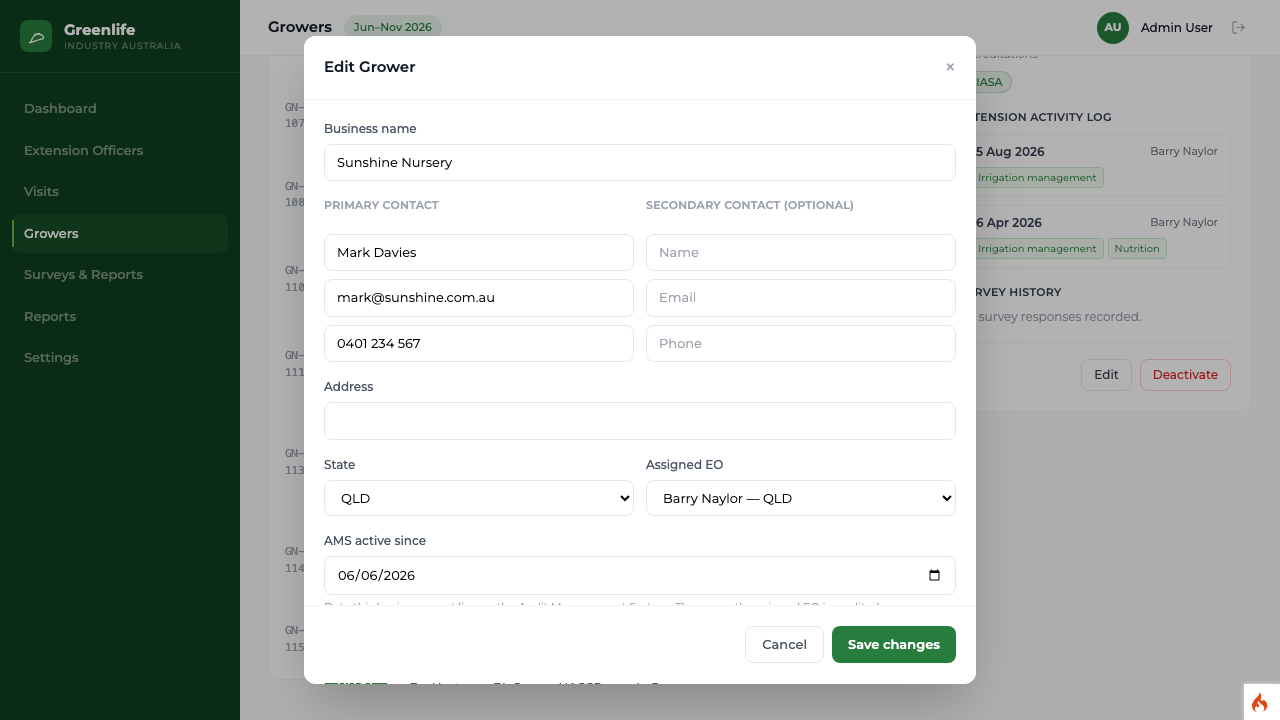
- 3 Select Edit. The window opens headed "Edit Grower" with the current values filled in.
- 4 Change what you need. When editing, an extra field appears: AMS active since.
- 5 Select Save changes.
AMS active since records the date the business started using the Audit Management System. Setting it credits the officer currently assigned to that grower, which is how the Additional AMS users figure is built.
What you'll see
The list and the detail panel show the new details, and any AMS date appears on the record with the officer it was credited to.
Good to know
Consent to contact is not editable here. It is set by the grower answering the last survey question during a visit.