Reporting
Figures you have to source outside the platform
The metrics no visit record can produce, and where they come from instead.
Where to find it
Sidebar Reports Source externally
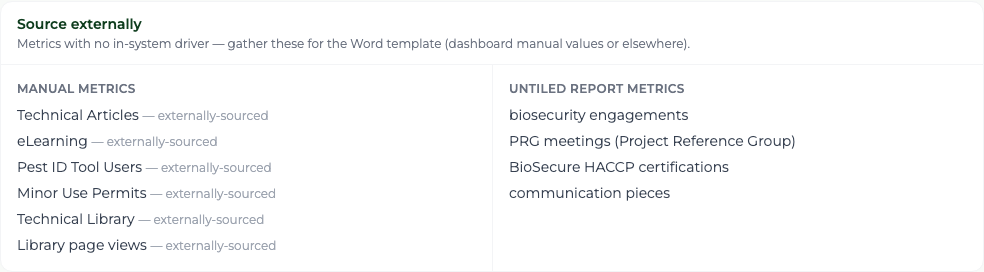
Some reported figures have nothing to do with visits, so the platform cannot count them. It tells you which, rather than leaving you to discover a blank cell at the end.
Steps
- 1 Select Reports in the sidebar and read the Source externally panel.
- 2 Collect each figure from the register or system that owns it — the article log, the eLearning platform, the Pest ID tool, the technical library, the Minor Use Permit records.
- 3 Enter the ones that have a dashboard tile using the gear on that tile, so they flow into the figures table.
- 4 Carry the rest straight into the Word template.
What you'll see
Nothing is guessed. Every figure is either counted by the platform or explicitly flagged as one you must fetch, so the only blanks in the report are deliberate.