Extension officers
Editing an officer's details
Correct an officer's name, title, contact details, state or notes.
Where to find it
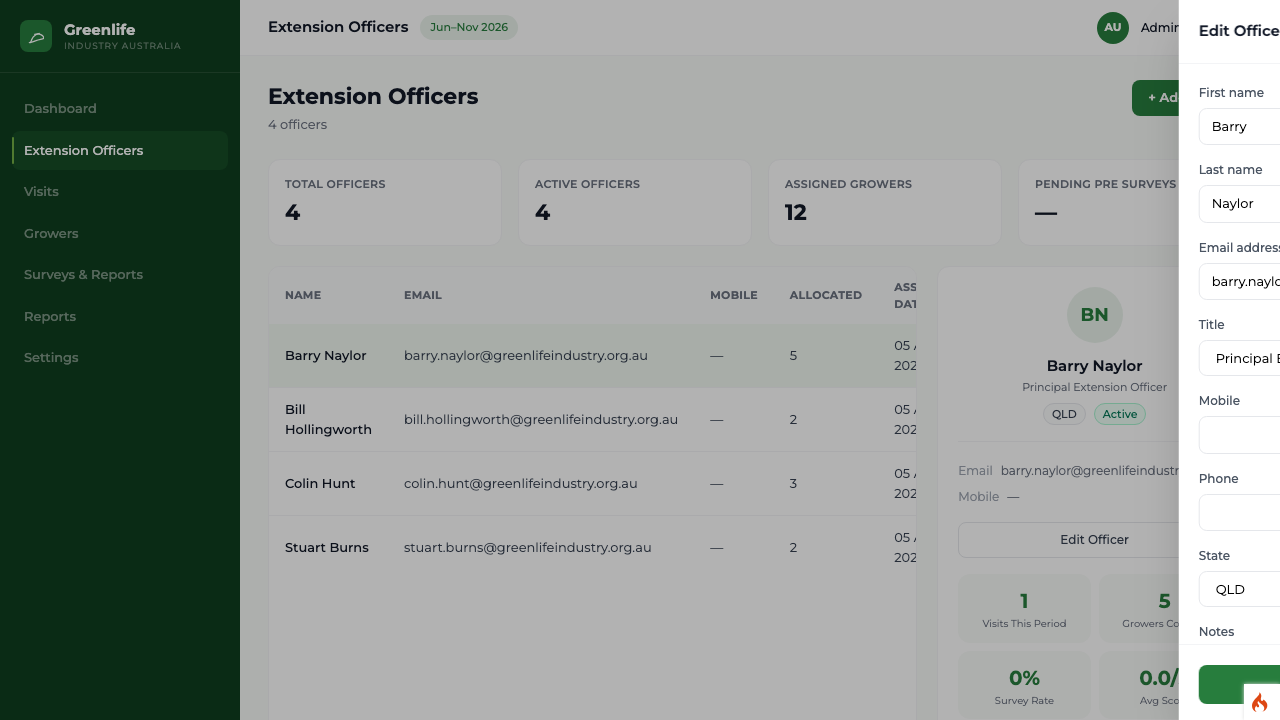
Sidebar Extension Officers officer row Edit Officer
Steps
- 1 Select Extension Officers in the sidebar.
- 2 Select the officer's row. Their detail panel opens below the list.
- 3 Select Edit Officer. The same slide-in panel opens, this time headed "Edit Officer" with the current values filled in.
- 4 Change what you need and select Save.
What you'll see
The list and the detail panel show the updated details straight away.
Good to know
The Initial password field is hidden when editing, so you cannot reset an officer's password here. Officers change their own password from My Profile in their portal; if one is locked out entirely, change the password on their account from the Users screen.