Extension officers
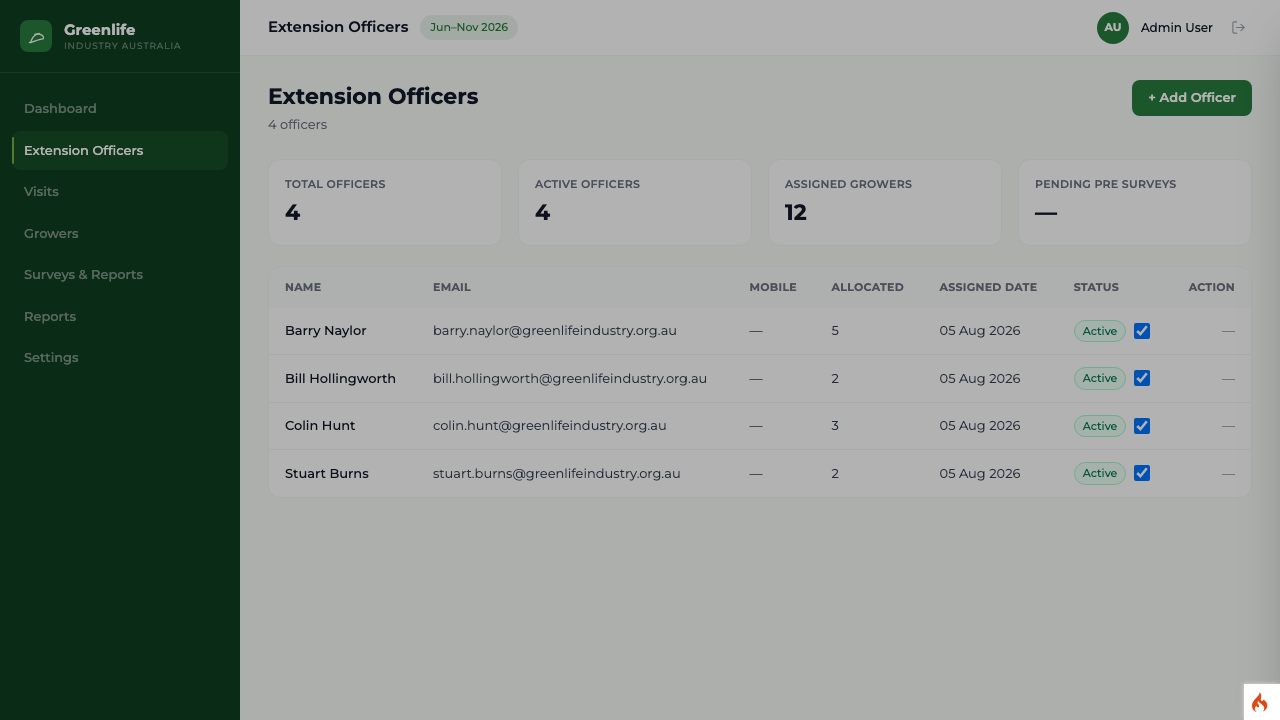
Adding a new Extension Officer
Create an officer account with the details and the first password they need to sign in.
Where to find it
Sidebar Extension Officers + Add Officer
Before you start
The officer's name, work email address, state and phone number, and a first password you can pass to them safely.
Steps
- 1 Select Extension Officers in the sidebar.
- 2 Select + Add Officer. A panel slides in from the right, headed "Add Officer".
- 3 Fill in the fields below.
- 4 Select Save.
- First name / Last name
- As the officer should appear on visit records and in reports.
- Email address
- This is the username they sign in with, so it must be one they can reach.
- Title
- Extension Officer or Principal Extension Officer.
- Mobile / Phone
- Contact numbers shown on their record.
- State
- Their base state — one of QLD, NSW, VIC, WA, SA, TAS, NT or ACT.
- Initial password
- The password they sign in with the first time. Pass it to them by a means you are comfortable with, and ask them to change it once they are in.
- Notes
- Anything else the team should know. Optional.
What you'll see
The officer appears in the list with an Active status and no growers yet. They can sign in immediately with the email address and initial password you set, and they land on their own dashboard.
Important
A new officer has no growers until you assign some. Until then their dashboard is empty and their region is effectively unvisited, so assign or transfer growers in the same sitting.
Good to know
The platform does not email the officer, and it does not force them to change the initial password at first sign-in. Telling them, and asking them to change it, is a manual step.