Getting started
Signing in and out
Sign in with your email and password, and sign out again when you have finished.
Where to find it
The web address your team gives you
Before you start
The administrator email address and password your team issued you.
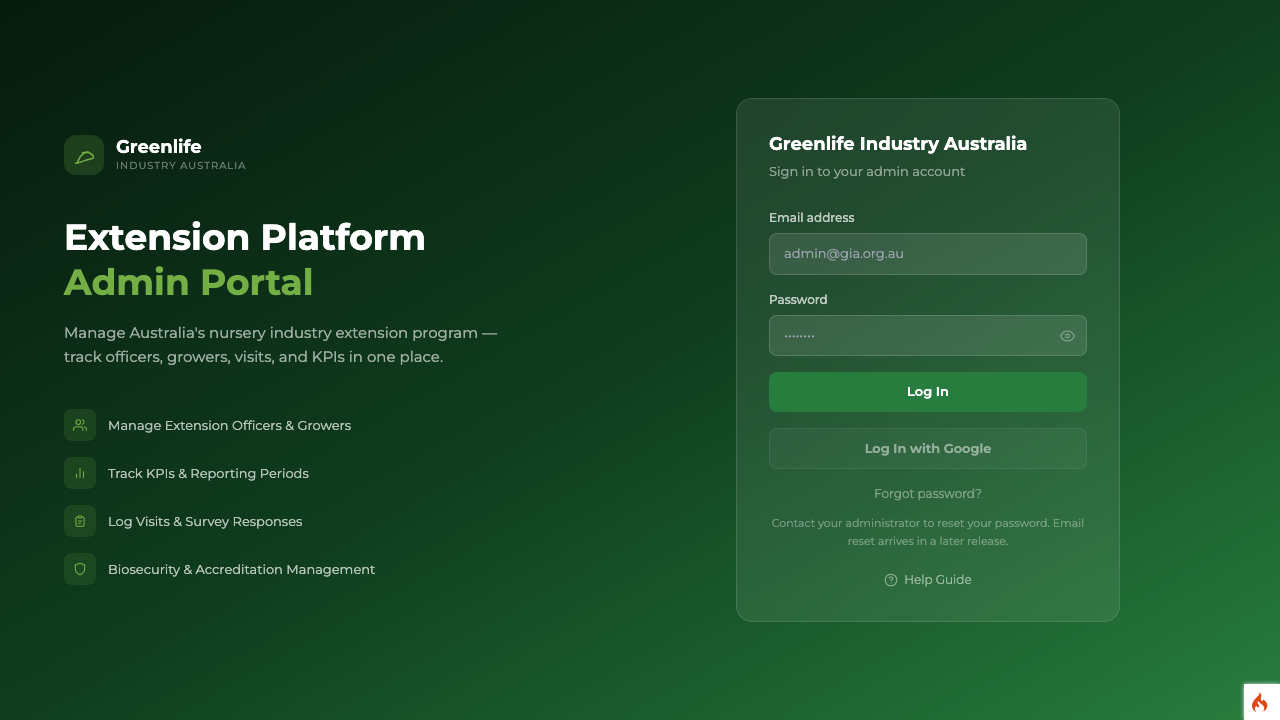
Steps
- 1 Open the web address your team gave you. The sign-in page is headed "Greenlife Industry Australia".
- 2 Type your address into Email address and your password into Password. The eye icon at the right of the password box shows what you have typed, which helps on a phone.
- 3 Select Log In.
- 4 To sign out, select the sign-out icon at the top right of any screen, beside your name.
What you'll see
Signing in takes you straight to the Dashboard. Your initials and name appear at the top right, next to the reporting period currently in use.
- If the password is wrong you see "Incorrect email or password." and your email address stays in the box.
- After five wrong passwords the account locks for a while and says so. Wait, or ask another administrator to reset your password.
- "This account is not active" means the account has been restricted. Another administrator has to reactivate it.
- If you leave the platform idle for a long time you are signed out and see "Your session expired. Sign in again."
Good to know
There is no self-service password reset yet. The "Forgot password?" link only shows advice on screen: contact your administrator, who can set a new password for you. The "Log In with Google" button is deliberately switched off and marked "Coming soon".