Reporting
Setting the project-to-date opening baseline
Correct the running total a metric started from, so the project-to-date column is right.
Where to find it
Sidebar Reports cumulative figures
Before you start
The correct opening figure, from the last submitted report or GIA's own records.
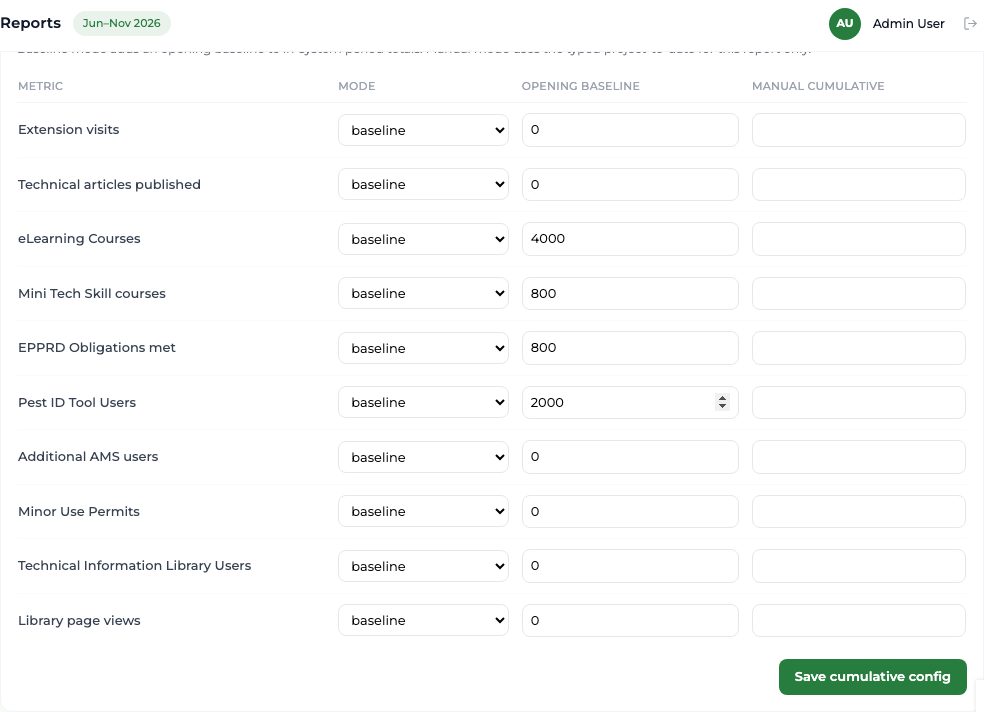
The report has two columns: the period, and project-to-date. Project-to-date is the platform's own counting added to an opening baseline — the total that existed before the platform started counting.
Steps
- 1 Select Reports in the sidebar.
- 2 Find the cumulative figures panel below the figures table.
- 3 For the metric you are correcting, choose how its running total is built: from a baseline plus the platform's counting, or from a value you enter yourself.
- 4 Type the correct figure into Opening baseline.
- 5 Save.
What you'll see
The project-to-date column moves by exactly the amount you changed the baseline, and the period column does not move at all.
Good to know
Record why you changed a baseline. It is the one figure in the platform that is not derived from a record you can point at, so the reason has to live in your own notes.
Related topics